AutoDoc Merge fills a Google Docs™ template with your spreadsheet data, saves a PDF to your own Drive, and can email it. Invoices, certificates, receipts and onboarding letters in one click.
Free during early access · Runs inside your Google account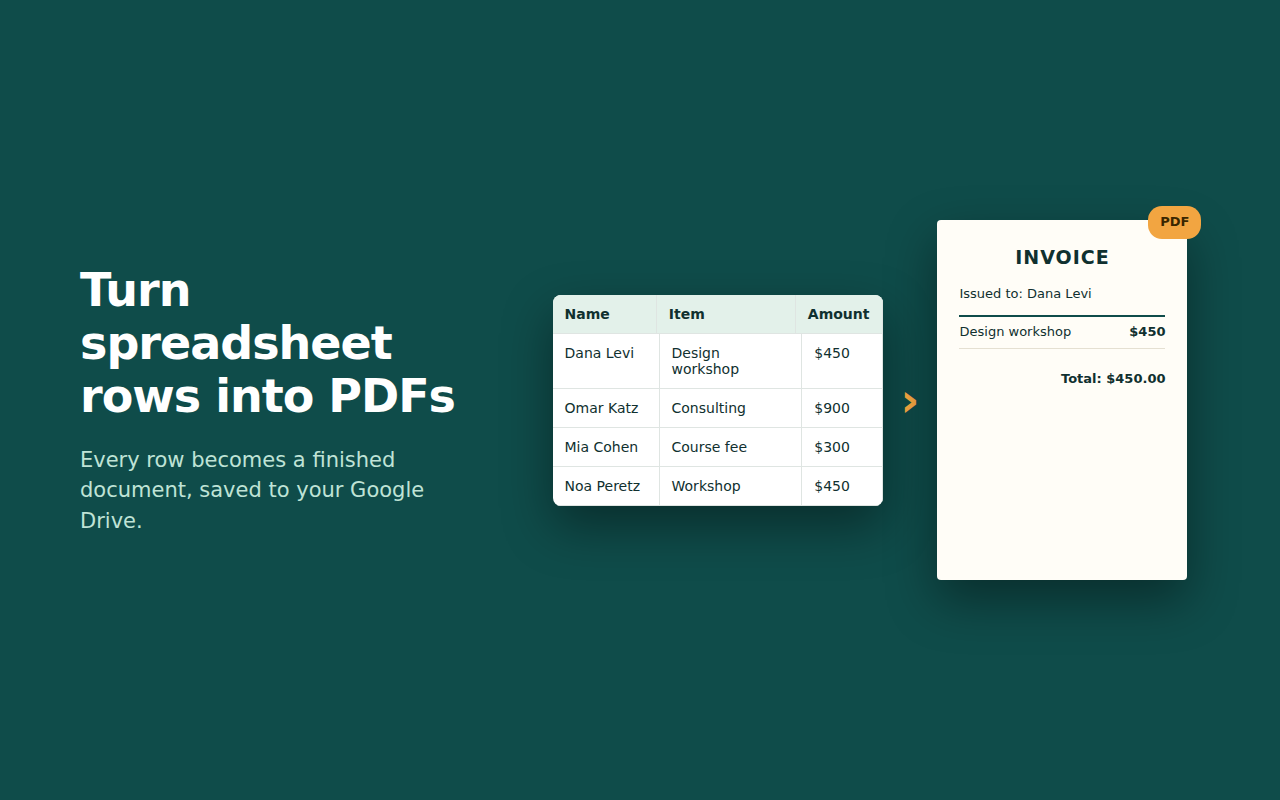
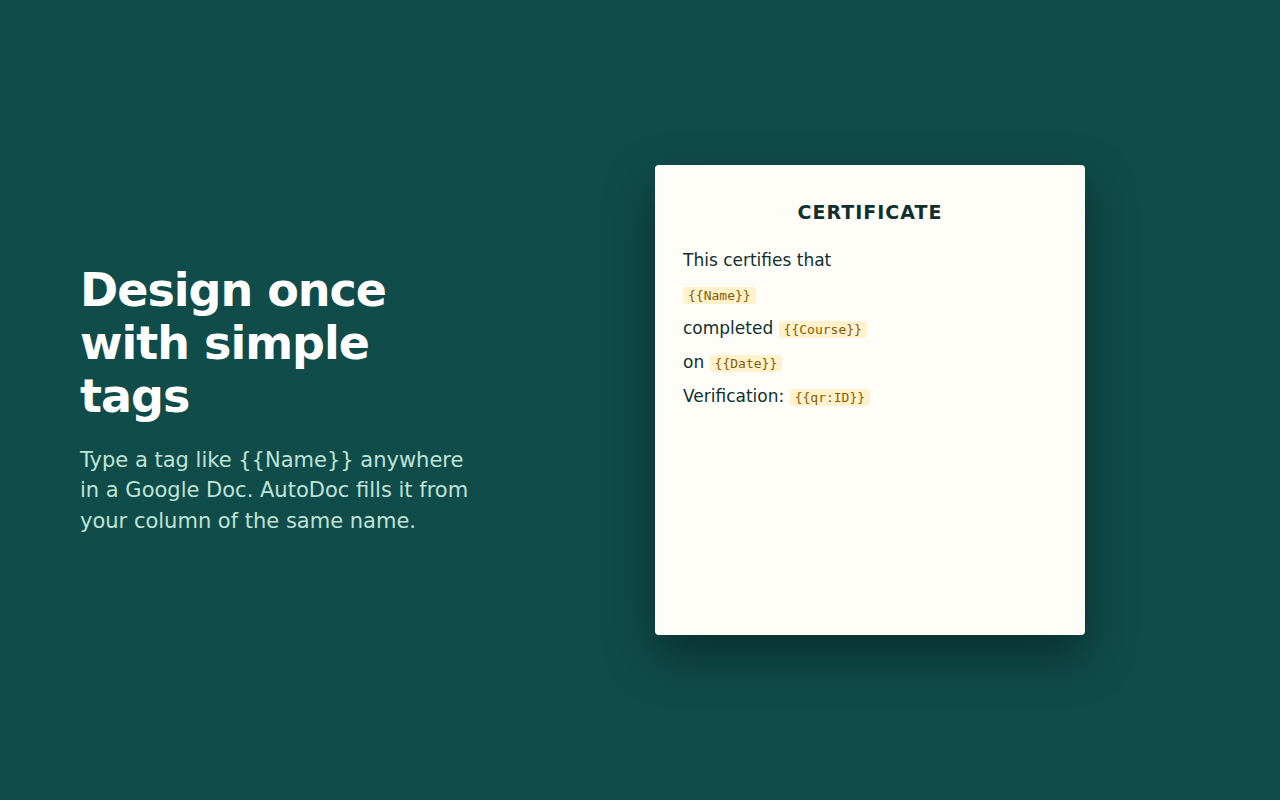
No templates to learn, no code. Add a tag like {{Name}} to a Google Docs™ and AutoDoc fills it from your column of the same name.
Put column headers in Row 1 of your Sheet, or link a Google Forms™.
One click creates a starter Google Docs™. Drop in {{Tags}} anywhere.
PDFs land in your Drive, links appear in your Sheet, and emails go out if you want them.
Everything you need to turn rows into finished documents.
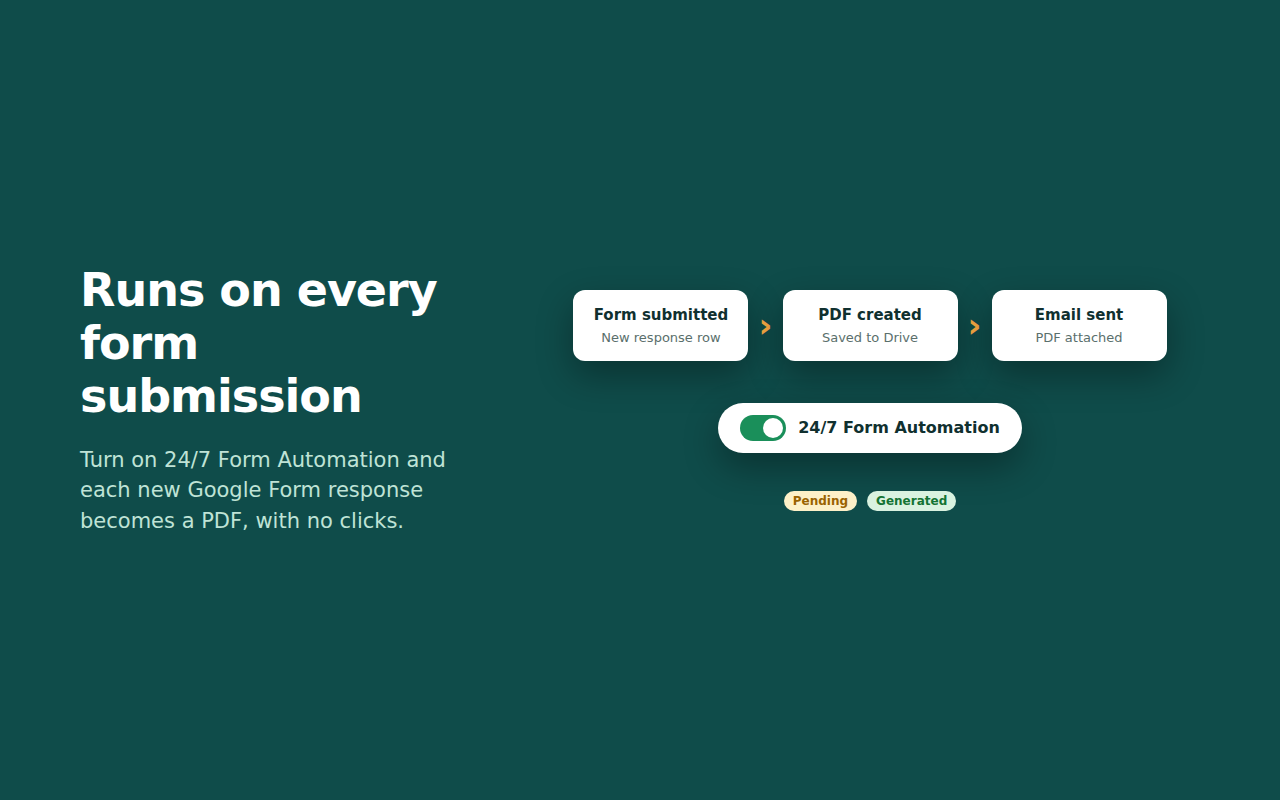
Every new form response becomes a PDF the moment it is submitted.
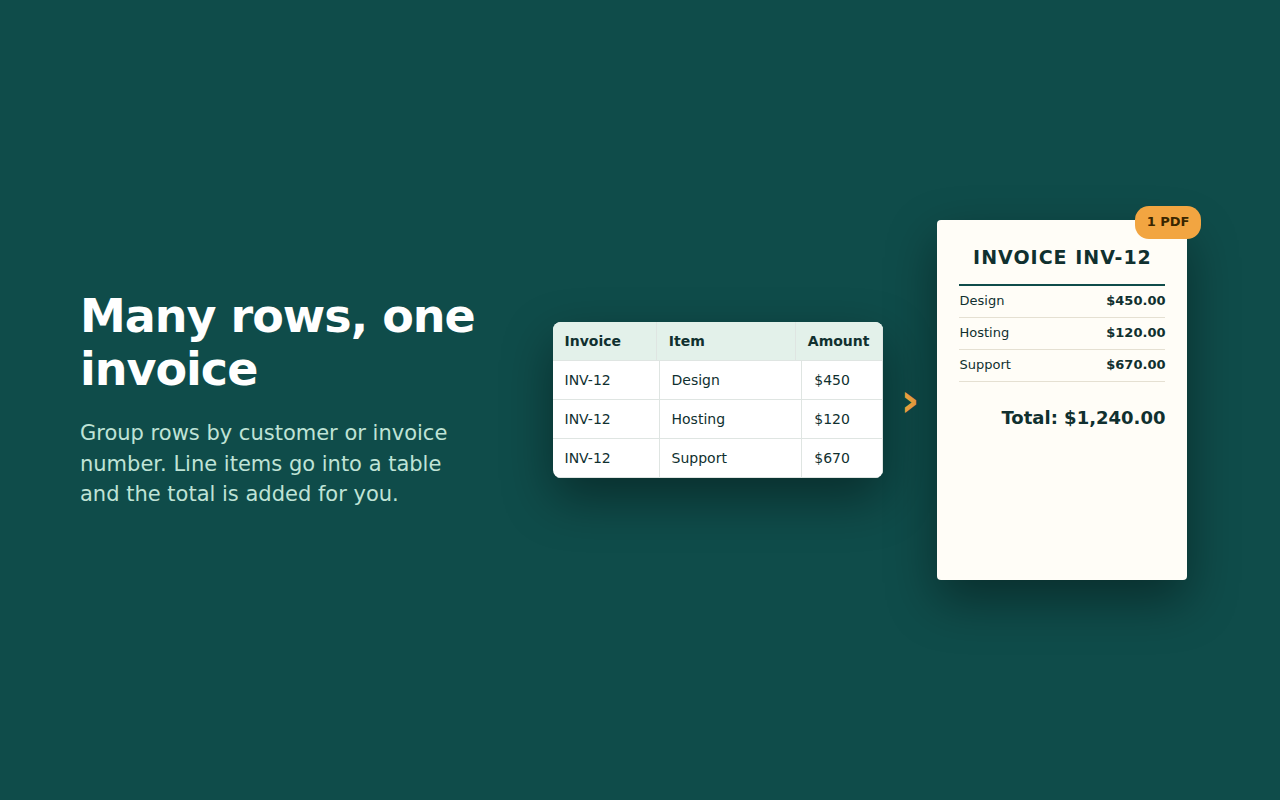
Group rows by customer or invoice number into one document with an automatic total.
One personalized PDF per row, for classes, events and courses.
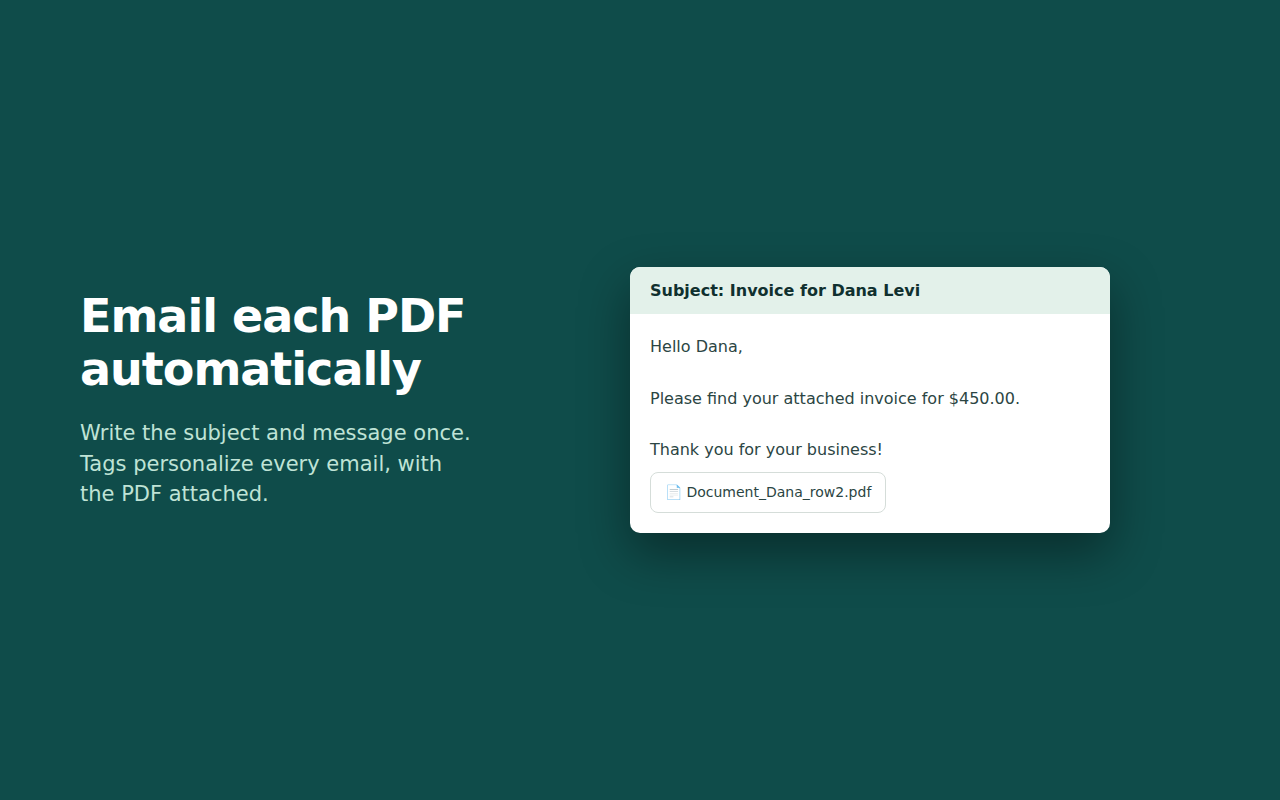
Write the subject and message once. Tags fill in every name, with the PDF attached.
Add {{qr:ID}} for verification. QR codes are generated inside your account.
Pending and Generated status chips, PDF links, and Pause or Stop at any time.
Templates, grouped invoices, email and automation.
AutoDoc Merge has no servers or databases. Your data stays in your Google account, and the developer cannot see it. Here is why each permission is requested:
| Permission | Why it is needed |
|---|---|
| This spreadsheet only | Read your rows and write back the PDF link and Status. No other spreadsheets are accessed. |
| Google Docs™ | Fill your template copy with your data, tables and QR images. |
| Drive files created by the app | Create the template, the output folder and your PDFs. Your other files are not visible. |
| Send email | Email the PDFs to recipients you choose. It cannot read your inbox. |
| External service | Calls to Google's own Drive API to copy, export and save files. Nothing goes to third parties. |
| "Display and run third-party web content in sidebars" | Google's standard wording for any add-on sidebar. For AutoDoc Merge it only shows its own dashboard panel inside Sheets. No outside website is loaded. |
| "Run when you are not present" | Used only if you switch on 24/7 Form Automation, so new form responses are processed on their own. |
Yes, during early access. Early adopters keep free access when paid plans arrive.
In an "AutoDoc Merge Output" folder in your own Google Drive™.
Yes. Create the template from the sidebar, then paste your design into it. Tables, colors and tags carry over. See the starter templates.
Yes. Link your Form to a Sheet and turn on 24/7 Form Automation.
Add AutoDoc Merge to Google Sheets™ in under a minute.
Install it free AutoDoc Merge